NEW COURSES:
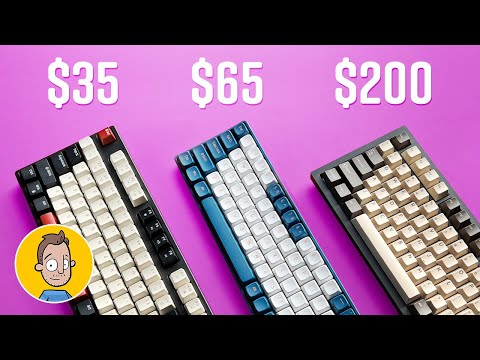
Mechanical keyboards are so cool, but it can also be really intimidating place for a newb to jump in. Why are some so expensive, what makes a keyboard good? how do I know I’m getting the right thing?
These are Affiliate links to the products I talked about in the video. I get a small cut of each sale if you use my links and it helps support my channel. Thanks!
Magegee Keybopard $35 –
RoyalAxe Keyboard $64 –
Keychron Q3 $210 –
Keychron K3 Max Low Profile $109 –
Keychron Switch tester:
Join this channel to get access to perks:
Email Newsletter:
—————————————————–
Twitter:
Instagram:
Drawing Tech Top 10 lists:
My Drawing and video gear:
This poor guy is just getting started.
lowkey I would like to give a shoutout to my relative friend of mine for introducing me to mechanical keyboards last year of May. he gave me away his spare wired level-entry 80% keyboard (which I preferably like) that he didn’t use, and I really get comfortable typing on it after days of practice and casual use.
and then sooner he got himself a low-profile keyboard and gave me away his tri-mode 68% keyboard to me (and got comfortable with it despite the function row engraved with fn key), which saved my money for buying a brand new one.
0:57
Um, just carefully superglue a flat cut paddle pop stick to the nub 🤷♂️ wait 30 seconds and reef 👍
I saw one going for over $8,000. You get custom hand assembly. Special patented space bar stabilzer. And titanium case. Can get it with a cheaper case for under $4,000.
straight to the point, easy to understand, and packed with useful tips. really enjoyed this one.